Hot, Cold and Web Wallets: A Practical Crypto Safety Guide
A wallet does not hold coins the way a leather wallet holds cash. Your assets are recorded on a blockchain; a wallet manages the keys or signing permissions used to control them. Choosing a wallet is therefore a.
Educational guide. Examples are hypothetical, not live quotes. Not personalized investment advice.
A wallet does not hold coins the way a leather wallet holds cash. Your assets are recorded on a blockchain; a wallet manages the keys or signing permissions used to control them. Choosing a wallet is therefore a decision about who can authorize transactions, what you trust, and how you recover access—not just which app looks easiest.
Two questions before choosing a wallet
First ask who controls signing. With a custodial service, a provider controls keys and you rely on its withdrawal policies, security and solvency. With self-custody, you control the signing credentials and bear the recovery burden. An exchange login is not the same thing as possessing the keys to an onchain wallet.
Then ask how signing credentials are protected. A hot wallet uses an internet-connected environment. A cold-storage arrangement keeps signing keys offline; a hardware wallet can protect keys while communicating with an online companion app. A web wallet describes an interface, not a security guarantee. A browser interface can connect to a hot wallet, a hardware wallet, or a custodial account.
A sensible separation of duties
Think of a small everyday wallet and a separate reserve. A hot wallet can be convenient for frequent interactions, but convenience increases exposure to malicious extensions, phishing and dangerous approvals. A hardware-backed reserve can reduce key-extraction risk, but it cannot make a transaction safe if you approve the wrong recipient or a malicious contract.
There is no universally safe allocation or risk-free device. Recovery design, device authenticity, software updates and careful transaction review all matter. Wallet features vary: some newer wallets use passkeys or other recovery mechanisms rather than a conventional seed phrase.
Set up self-custody step by step
1. Start from the wallet provider's verified website. Avoid sponsored search links and unsolicited support messages. If buying hardware, use the manufacturer or an authorized seller and follow its authenticity checks. Reject a device supplied with a prewritten recovery phrase.
2. Initialize the wallet using its official instructions. Create the recovery backup offline if the wallet uses one. Never photograph a seed phrase, paste it into chat, store it in email, or enter it into a website that claims to verify your account. Anyone holding the complete recovery secret may be able to control the assets.
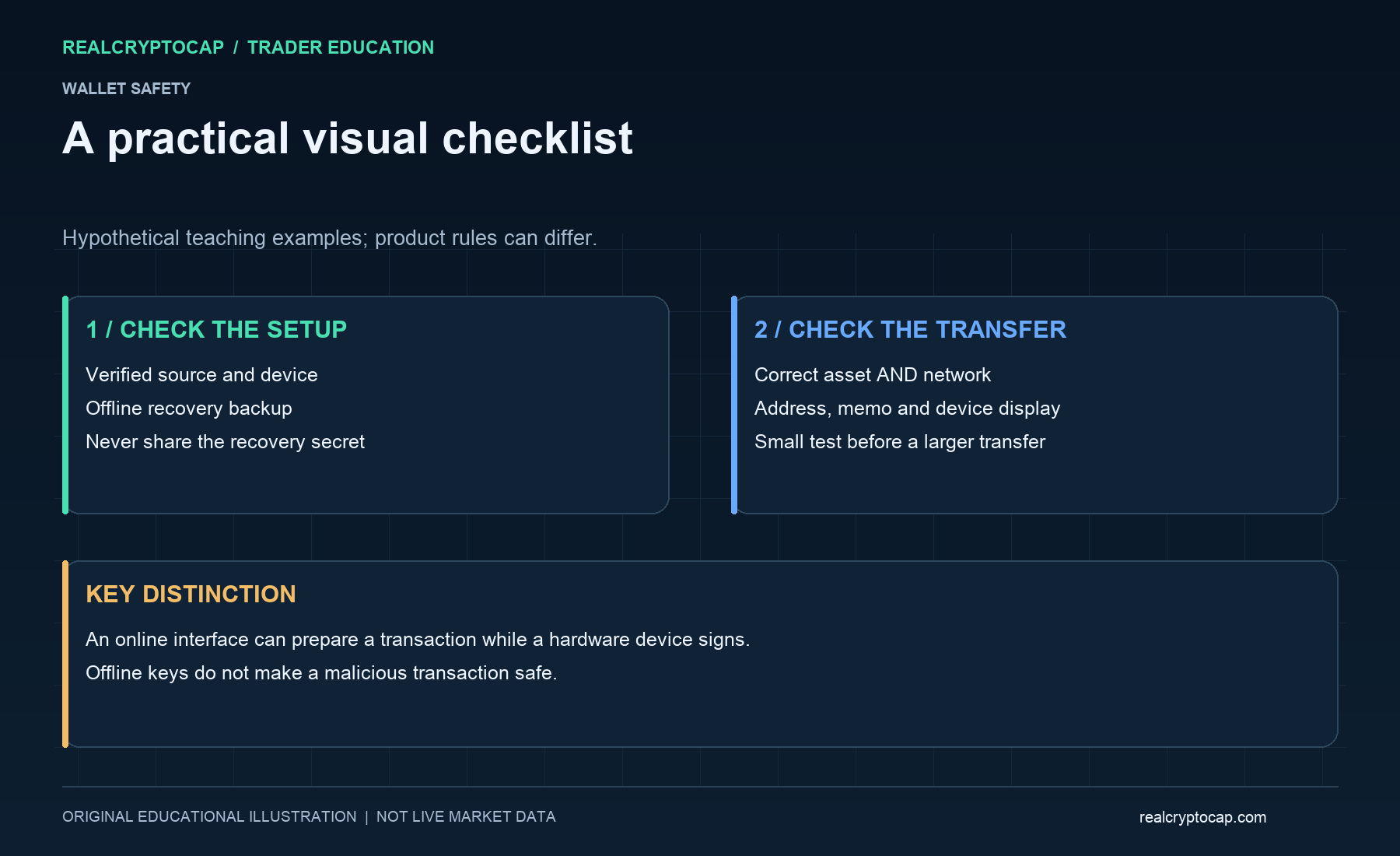
3. Protect the backup against theft, fire, water and accidental disposal. Consider your household's recovery needs without disclosing secrets unnecessarily. An optional passphrase introduces another critical recovery dependency: forgetting it can make funds inaccessible.
4. Confirm the asset, network and receiving address. Some tokens exist on multiple networks; similar-looking addresses do not guarantee compatibility. Check whether the destination requires a memo or destination tag. Keep enough of the correct native asset for transaction fees.
5. Send a small test amount first. Verify receipt in the intended wallet and network before sending more. For hardware signing, inspect the recipient and transaction details on the trusted device display where supported—not only on the computer screen.
What cold storage does not solve
A hardware wallet can still sign a harmful approval. An unlimited token allowance may let an approved contract move that token later. Use a separate interaction wallet, understand permissions and review old approvals with verified tools. Do not assume disconnecting a site revokes an existing onchain allowance.
If you suspect a compromise, stop signing and stop interacting with anyone offering unsolicited rescue. Use a clean device and the provider's official incident guidance; a recovery operation can itself expose more funds if rushed. A leaked seed is not repaired by changing the app password.
Quick answers
Can a web interface be used with cold storage? Yes: the interface may prepare a transaction while a hardware device protects the signing key. The browser alone is not what makes the arrangement cold.
Does losing the device always mean losing the assets? Not necessarily. A valid recovery backup may restore access using a compatible wallet, but missing recovery material can make loss permanent. Never test recovery by disclosing secrets to another person.
Read next: https://realcryptocap.com/articles/crypto-spot-trading-beginners-guide. Use RealCryptoCap's https://realcryptocap.com/market-data for market context; do not treat market rankings as wallet-security ratings.
Sources and further reading: CoinGecko, Hot Wallet vs. Cold Wallet — https://www.coingecko.com/learn/hot-wallet-vs-cold-wallet. RealCryptoCap independently explains the concepts; no affiliation or endorsement is implied.